Stop Motion Science

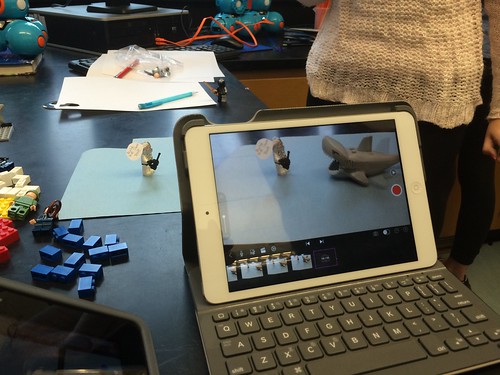
8Science students collaborated in the creation of a LEGO Stop Motion Video to demonstrate their understanding of substances and different types of Elements. They created a story line that included MONATOMIC ELEMENTS, DIATOMIC COMPOUND and TRIATOMIC COMPOUNDS!

New Blakers!

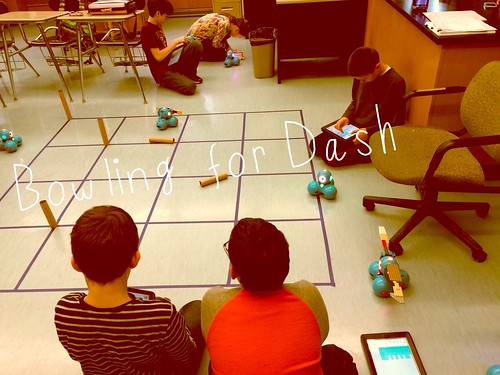
Welcome Dash and Dot! AfterSchool Coding Club members are test-driving the new robots which will soon be integrated into the Science curriculum.

Digital Learning Day 6th Discussion Panel

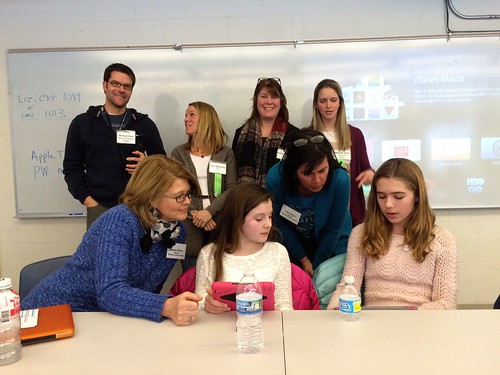
Medfield School District held its 3rd annual Digital Learning Day Conference filled with over 60 workshops for K-12 teachers in district and from schools out-of-district. Wellesley 6th Grade teachers joined Blake's 6th teachers and students for a discussion on their initial year of having 1:1 iPads in the classroom.

A Shout Out to Medfield HS/MS Student Volunteers

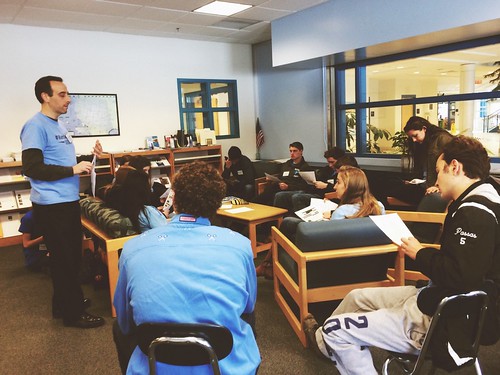
Our Digital Learning Day Conference wouldn't have been possible without the support of our wonderful Medfield HS Students and Blake MS students. This photo was taken at the beginning of the day, during a briefing with Neal Sonnenbergy (HS Tech Integration Specialist)

Look out for these future App Developers

This group of Blake MS girls are entered into the Global Competition, Technovation to design a mobile app that solves a community/social issue. Wish them Luck! The final pitch is on May 1st @ Microsoft NERD Center!

Took the Show on the Road

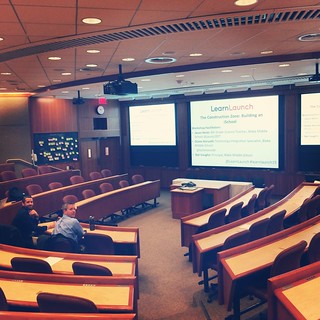
Blake MS Principal Nat Vaughn and 8Science Teacher Jason Heim presented about the Blake iPad Initiative at the LearnLaunch Conference, Harvard Business School.

Green Screen App Smashing

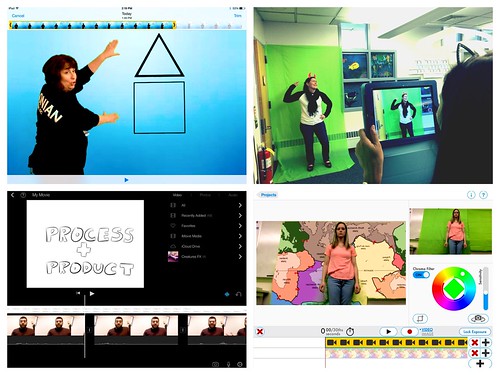
At our final EdTechTeacher Workshop, 6th/7th Grade Teachers explored their creative side by layering green screen videos over images for engaging instructional videos. It was total fun!

Convert Smells to Energy = Smellergy!

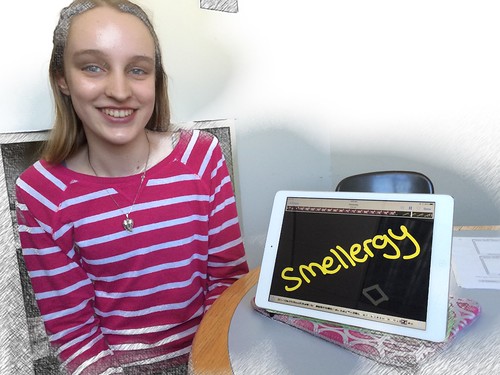
Nicolina is changing the world one nose at a time! Her entry was clearly on track with dreaming, designing, and delivering an energy-saving idea into the Blake Energy Invention Contest!

Sometimes the Ideas start here

Planning and drawing out a story board before the creation of an Explain Everything project is an essential step in the process!

4.13.2013

Slow Motion Science

Let's face it- there is nothing that can replace a student conducting their own hands-on Science experiments!
This pretty much still holds true in a 1:1 iPad environment.  In fact, the iPad actually takes the back seat and serves a very different purpose in these situations. Plus, you only need ONE!


Enter into Mr. Heim's 8th Science Class.
His students usually work in partners for experiments. However, the Flame Test is the one test that requires more safety procedures to be in place. Therefore, Mr. Heim takes the lead in conducting the only experiment which means most students will have to watch from a safe distance.  Can you imagine being the student sitting in the back of the class? Maybe you were absent that day?  Or the experiment happens so fast that you missed the most important part?  

Well, Mr. Heim discovered a solution to these challenges. He simply found a stand to hold his device near the experiment and the Slo Pro iPad app to record & replay the entire process in slow motion as many times as needed. 

Watch the video below to join his class in action.

*You will also notice students then documented the results by hand-drawing a chart and explaining their observations in the Explain Everything app. This makes it possible for students to later return to their own audio-visual recording of the results.   Think of how beneficial is it to be able to watch and listen to your own explanation at any time too?

Without further ado...The Flame Test!


Let's take this one step further... 
Do you think all of the Science classes had the same experience?  
Reached the same results? 
Drew the same conclusions? 

Maybe. Maybe not.
Mr. Heim now has the ability to share each recording
with each class to draw their own conclusions.

 My conclusion:  Science in slow motion can be a powerful tool!

4.02.2013

Vintage Social Networking

Parents & Teachers,


Social media has actually been around for a long time..
who knew?!
Although it looked more like this!


The difference is how it has evolved into connecting and sharing in a more public way.
While this opens up and offers opportunities to learn from others educationally 
and personally,  it is important that we have a solid understanding of social networking
and how our students /children are using them. 

Please take time to read:

3.31.2013

Journey to the Center of the Earth

Screencasting gives students a tool to demonstrate creativity and collaboration.


8th Grade is filled with some adventurous field trips .. this latest one takes you directly to the Center Center Center of the Earth Earth Earth!

Grab your astrosuit and climb aboard as two 8th graders narrate your journey through the Earth's Crust, Mantle, Outer Core, Sub Layers and  Inner Core. 


Typically, Mr. Heim's students complete a web quest to answer questions as a way to demonstrate their learning.  However, with the iPad, the screen casting app, Explain Everything opens up other possibilities that push students to use creativity in writing a script, in finding images to match their information and in producing an animated movie. This activity also involved a tremendous amount of collaboration through discussion/communication, research, decision-making and the creation process. The end result.. you have students who not only met the learning objectives, but who were able to successfully complete a higher order complex task in an engaging, purposeful way.

3.17.2013

Take it to the Amazon Cloud Player!

Smart Device Management Tip #1:  Store your Music from iTunes in the Cloud!


As the district moves towards the 8th grade BYOiPad and 9th grade BYOD (family-owned device) model, trying to balance personal/home-use with school-use requires  smart management of what is actually kept on the iPad or mobile device. Think about how easy it is to accumulate an ever-increasing number of music downloads, photos taken with your iPad or device, download books, etc. Therefore, saving your work, photos, and more "to the cloud" is the best solution.

 This is where Cloud-based storage comes into play...


Click here for a QUICK TUTORIAL

One of the first things students will want to do with a device, whether it's an iPhone, Nexus tablet, or iPad is to download and play their own music on it. This could equate to thousands of songs sitting on that device and taking up space!

When a device is primarily for school-use, this issue could easily become a family battle, which the simplest solution is to decide - no music on the device. However, if there is room for compromise, a cloud-based storage solution is available or as they say, "There is an app for that"!  Amazon recently announced the Amazon Cloud Player as a way to import your music directly from iTunes and/or purchase new music from Amazon and then stream it directly to any computer or device via the Amazon Cloud Player app. All this means is... the songs never sit on your device and are stored & played "in the amazon cloud" with internet access.

Please note: The Amazon Cloud Player allows for free storage of your first 240 songs. Any additional songs would cost $24.99/year.  Also, you'll start by signing up for the Amazon Cloud Player on your home computer (requires credit card information- only charged for songs purchased through Amazon, not imported) and installing the Amazon MP3 installer.  From there, import your songs using the Amazon MP3 installer on your computer, download the app to your iPad and start enjoying your music right from your iPad!

Click here to Get Started!


3.14.2013

The Renaissance Comes Alive!

A Formal Invitation to the Renaissance Dinner Party
  in Mrs. McClelland's 8th Social Studies Classroom


In  past years, Mrs. McClelland's students were asked to culminate and apply the information and knowledge they had learned about leading Renaissance figures by writing an essay.  The essay had to describe the seating arrangement and conversations occurring between each figure if they were to attend a Renaissance feast.  Therefore, students were to consider each guests' language, personality, training, and achievements so that everyone has something to talk about with nearby guests at the table. This type of assignment proved to be a challenging task both for students in fully integrating each factor into a written explanation but also, for the teacher in grading each essay.


This year was different!  The timing for our professional development iPad workshop with Greg Kulowiec of EdtechTeacher could not have been better.  The workshop introduced the SAMR model and pushed our thinking to redefine a particular curriculum unit or lesson with technology to create new tasks that were previously inconceivable.

Poof! The redefinition of the Renaissance Feast was born!  
Students were to collaborate in small groups in creating a screen cast using the Explain Everything app. As a group, they were to demonstrate the different possible seating arrangements visually with actual images while recording their explanations. The newly redefined version of the assignment proved to be successful.


Wait, there's more....
The rethinking of how students learned about the leading Renaissance figures did not begin or end here.  In previous years, students read from the textbook and often confused the names of the individuals and facts. The Funny Face Maker app actually brought these figures to life! Students were more engaged to hear from 'a living museum' of characters.


This process involved students working with partners to watch each movie clip and to take notes on a graphic organizer provided on paper.


At the end of their research, students choose a Renaissance figure to debate who was the most influential of that era. Students had the opportunity to create their own ' Living Figure' with the Funny Face Maker app to present the beginning of their argument.


No iPads needed... Learning activities are not designed solely to use the iPad. There are times when hands-on activities are best. The Renaissance lends itself perfectly for that. Of course, Mrs. McClelland incorporated a little artistic experience into the unit to let students 'become Michelangelo" by painting the ceiling of the Sistine Chapel which of course, looked like this! 


The iPad offered Mrs. McClelland ways to enhance and redefine curriculum that was not possible before. The results were students having success in accessing, learning and demonstrating their new knowledge of the Renaissance Era.