Stop Motion Science

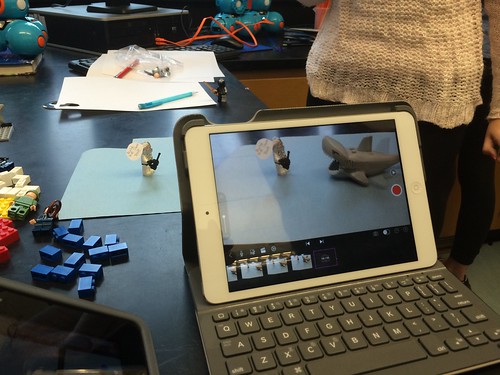
8Science students collaborated in the creation of a LEGO Stop Motion Video to demonstrate their understanding of substances and different types of Elements. They created a story line that included MONATOMIC ELEMENTS, DIATOMIC COMPOUND and TRIATOMIC COMPOUNDS!

New Blakers!

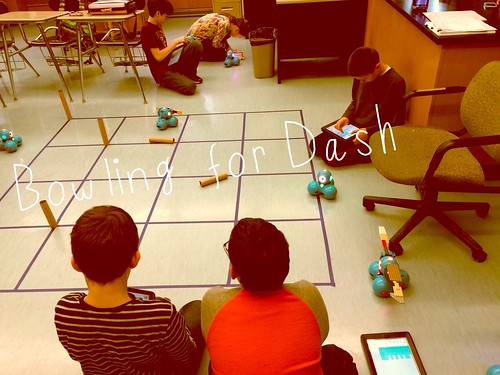
Welcome Dash and Dot! AfterSchool Coding Club members are test-driving the new robots which will soon be integrated into the Science curriculum.

Digital Learning Day 6th Discussion Panel

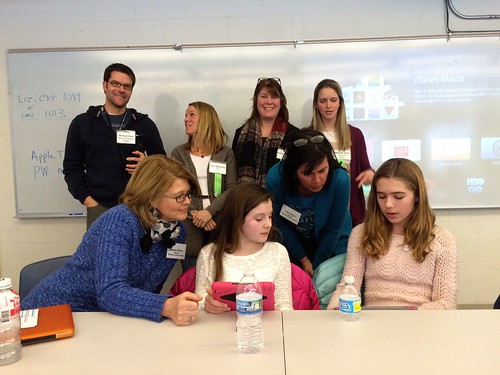
Medfield School District held its 3rd annual Digital Learning Day Conference filled with over 60 workshops for K-12 teachers in district and from schools out-of-district. Wellesley 6th Grade teachers joined Blake's 6th teachers and students for a discussion on their initial year of having 1:1 iPads in the classroom.

A Shout Out to Medfield HS/MS Student Volunteers

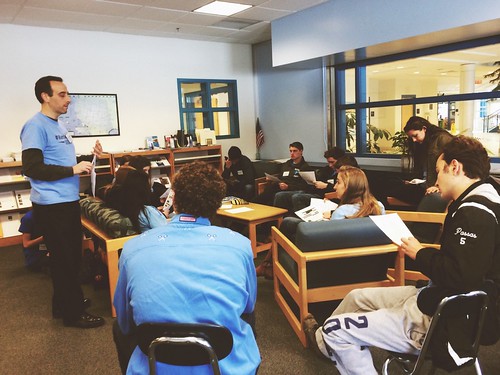
Our Digital Learning Day Conference wouldn't have been possible without the support of our wonderful Medfield HS Students and Blake MS students. This photo was taken at the beginning of the day, during a briefing with Neal Sonnenbergy (HS Tech Integration Specialist)

Look out for these future App Developers

This group of Blake MS girls are entered into the Global Competition, Technovation to design a mobile app that solves a community/social issue. Wish them Luck! The final pitch is on May 1st @ Microsoft NERD Center!

Took the Show on the Road

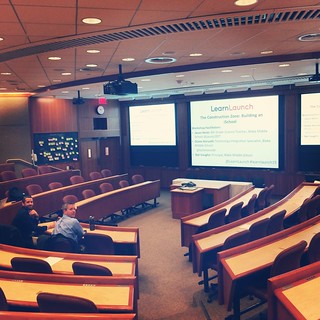
Blake MS Principal Nat Vaughn and 8Science Teacher Jason Heim presented about the Blake iPad Initiative at the LearnLaunch Conference, Harvard Business School.

Green Screen App Smashing

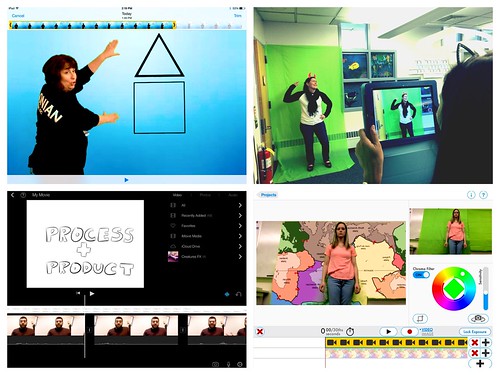
At our final EdTechTeacher Workshop, 6th/7th Grade Teachers explored their creative side by layering green screen videos over images for engaging instructional videos. It was total fun!

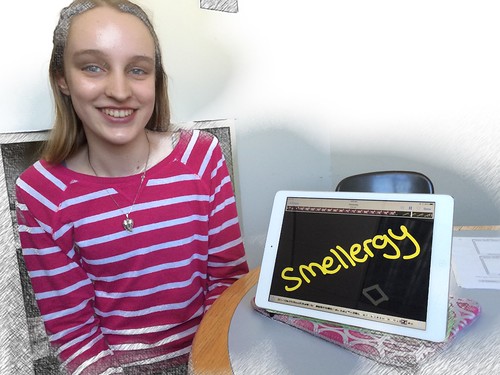
Convert Smells to Energy = Smellergy!

Nicolina is changing the world one nose at a time! Her entry was clearly on track with dreaming, designing, and delivering an energy-saving idea into the Blake Energy Invention Contest!

Sometimes the Ideas start here

Planning and drawing out a story board before the creation of an Explain Everything project is an essential step in the process!

2.13.2014

Thinglinking on Grammar Mondays

No More Grammar Monday blues in Mr. Hellerstein's 8th Grade English! 

Nope, not anymore! See Mr. Hellerstein (@setheli) is reinventing how students can demonstrate grammar via ThingLink!   All this means is they can make richer images that come to life with music, audio, video, text, images and more. Essentially, the image becomes a story others can explore!

ThingLink is a both available online through the website and as a free IOS app. (note: the app is more limited than the website version)  First, you'll need an image to upload to Thinglink. Then here comes the interactive part... you simply create hotspots or in ThingLink terms, nubbins that link to text, video, websites, images, etc. for more information.

ThingLink Examples: hover & touch the interactive circles.

Now insert Mr. Hellerstein.... he thought that ThingLink could enhance his students' learning about the somewhat dry topic of grammar! Initially, his class is starting off slow..and eventually, down the road will evolve this idea to include more student-created, interactive media.

Here's how it work:

Students worked in pairs or threes to write a sentence based on the book, The Crucible that had to include as many parts of speech from Mr. Hellerstein's list plus other vocabulary and literary terms. After that step was completed,  they  began marking up their sentences to identify each and discussed  with the class before moving onto ThingLink.


Next, each student then snapped an image of their sentence with their iPad to upload to ThingLink via the app. For this first time, students were asked to tap the image where they wanted to add a hotspot & type in text to further explain the targeted words.


When finished, students turned in their assignment by copying the url address to their ThinkLink and then filling in the google form with their name, period, and pasting the link in the form (found on Mr. Hellerstein's website).


And the final results....


Again, as a first step in learning the process, students' Thinglinks involved adding labels with text.  Thinking forward... students could create Explain Everything screencasts or add images with audio of characters, link to mindmaps of concepts or terms, etc. Stay tuned for follow up posts as his students' work evolves.

New Update to Thinglink for Teachers:

2.02.2014

Remember this.

1.12.2014

Augmented Reality. Coming to a Classroom Near You!


Augmented RealityNo, it's not a sci-fi movie or latest video game ... although it will add some futuristic elements to your classroom!

In simple terms, with the Aurasma or Layar app on an iOS or Android device, any image can become a trigger that's linked to other resources: 3D animations, self-made videos, youtube videos, other images, websites, audio recordings, etc. When scanned by a device with the AR app, you'll see how a flat image is brought to life! Amazing!

In last month's Nexus & iPad workshops with @gregkulowiec and @brhollandBlake MS educators explored AR's potential integration into their classrooms (and not to mention, ease of use!). Educators quickly discovered how it can bring interactivity, offer dynamic ways for students to consume content and how easily layers of support can be built-in for directions, background knowledge, & more.   

Watch a demo by our very own 6th grade Math Teacher, Mr. Millard!


Mrs. McClelland (@CynMcCl) was the first teacher to dive right in! Her recent Islamic unit is filled with rich content. She already incorporates beautifully-produced images from her curriculum materials to help with teaching the concepts and information. This time, these images evolved into more... she created triggers on them to take students to videos and other media. It was now just a matter of simply posting the images around her room, creating a graphic organizer for students to record information and there it is- an interactive scavenger hunt of learning!


Let's head over to the 6th grade hallway where the Koala cluster happens to be piloting the Nexus 10 tablets 1:1.  That didn't stop them from partnering up with the other two clusters to share their technology and Augmented Reality adventure to space! All three science teachers: Mrs. Heim, Mrs. Muscatell, and Ms. Dengos transformed their usual project to an interactive experience using the Layar AppStudents were then divided into space teams of one from each cluster and were given the mission to visit each poster, scan the images for information, and then discuss and answer questions on paper.  Take a look into their classrooms as the students move from one place to another.


I think it's safe to say, "Mission: Successfully Completed!"
And this is only the beginning of how Medfield teachers are taking these tools
to enhance and redefine instruction and learning.


Visit these additional AR resources to learn more:

* Follow both Paul & CeCe on twitter too and the hashtags below for endless ideas!
#augmentedreality

12.24.2013

Swiping Holiday Cheer

With the arrival of new iPads at Wheelock School right before the holiday break, Mrs. Sheehan was eager to try out a simple festive activity to introduce iPads to her third graders.  We thought this clever, simple idea from a Czech Republic class (discovered through their posting/sharing via Google + ) would be perfect! Click here to view

Here's the Holiday Recipe:
Preparation- gathered 13 iPads & installed the Crayola: Paint & Create app
+ Introduced the Activity by watching the Czech Republic's class video and discussing what was their message and how did they create it. What could our simple Holiday Message be?

+ Demonstrated a quick tutorial on the how-to's of the Crayola app and saving the image to the camera roll. Also identified some iPad rules (stays on the table or rug-flat surface, only work in that app, etc.)

+ Paired the students up to share an iPad. It worked out nicely because there were 2 pairs of partners at each table. One set of partners would design the letters to the first word and the other set of partners designed the second word.

+When finished, each table had a chance to come to the rug where they would "perform" their message (swiping through the images in the camera roll) to music (while video recording from above).

+The end product of curating all videos was done using PlayPicPost (paid) app or you could use the Video Collage to then push to YouTube or Vimeo or save to the camera roll to upload anywhere else.


Without further ado...... Mrs. Sheehan's class presents: Swiping Holiday Cheer!


I can not even begin to tell you how thrilled these third graders
were in having the chance to integrate and create with the iPads.
It was so much fun being apart of their experience.

On the teacher end and reflecting back, this was an effective and
appropriate initial activity with not too many steps to complete, sharing and
working together with others, and learning the basics of the iPad all wrapped up in one.
Thanks for sharing your wonderful idea- +Tomáš Kováč


Wishing everyone Happy Holidays!