Stop Motion Science

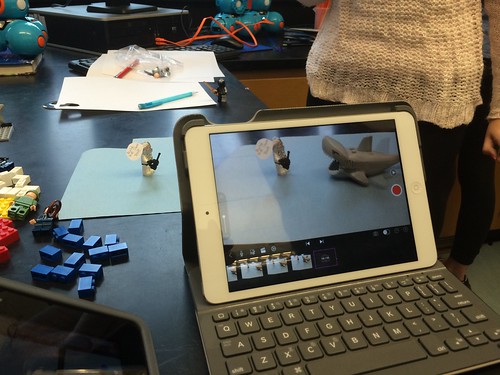
8Science students collaborated in the creation of a LEGO Stop Motion Video to demonstrate their understanding of substances and different types of Elements. They created a story line that included MONATOMIC ELEMENTS, DIATOMIC COMPOUND and TRIATOMIC COMPOUNDS!

New Blakers!

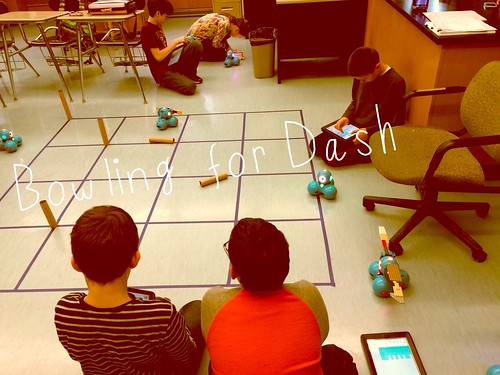
Welcome Dash and Dot! AfterSchool Coding Club members are test-driving the new robots which will soon be integrated into the Science curriculum.

Digital Learning Day 6th Discussion Panel

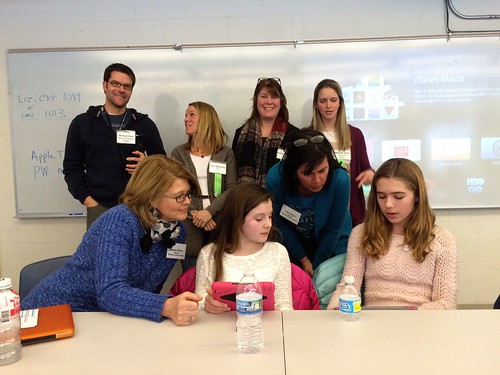
Medfield School District held its 3rd annual Digital Learning Day Conference filled with over 60 workshops for K-12 teachers in district and from schools out-of-district. Wellesley 6th Grade teachers joined Blake's 6th teachers and students for a discussion on their initial year of having 1:1 iPads in the classroom.

A Shout Out to Medfield HS/MS Student Volunteers

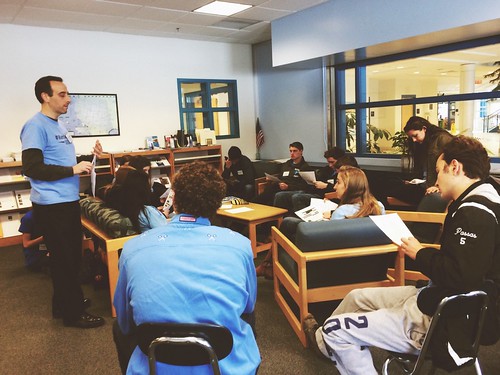
Our Digital Learning Day Conference wouldn't have been possible without the support of our wonderful Medfield HS Students and Blake MS students. This photo was taken at the beginning of the day, during a briefing with Neal Sonnenbergy (HS Tech Integration Specialist)

Look out for these future App Developers

This group of Blake MS girls are entered into the Global Competition, Technovation to design a mobile app that solves a community/social issue. Wish them Luck! The final pitch is on May 1st @ Microsoft NERD Center!

Took the Show on the Road

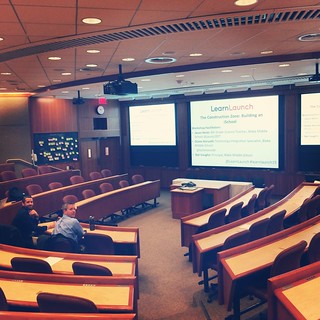
Blake MS Principal Nat Vaughn and 8Science Teacher Jason Heim presented about the Blake iPad Initiative at the LearnLaunch Conference, Harvard Business School.

Green Screen App Smashing

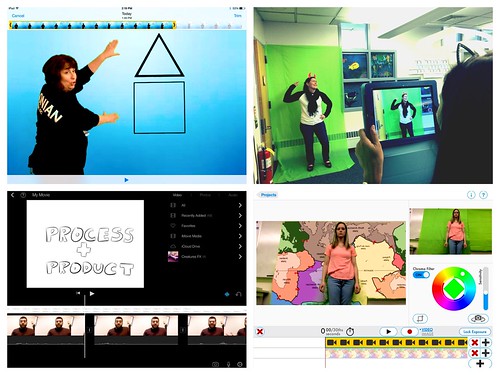
At our final EdTechTeacher Workshop, 6th/7th Grade Teachers explored their creative side by layering green screen videos over images for engaging instructional videos. It was total fun!

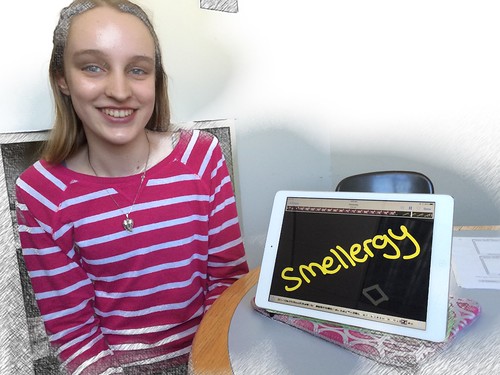
Convert Smells to Energy = Smellergy!

Nicolina is changing the world one nose at a time! Her entry was clearly on track with dreaming, designing, and delivering an energy-saving idea into the Blake Energy Invention Contest!

Sometimes the Ideas start here

Planning and drawing out a story board before the creation of an Explain Everything project is an essential step in the process!

Showing posts with label parent information. Show all posts

8.03.2013

A Parent's Guide to 21st Century Skills


Too many times than not, administrators and educators throw around educational jargon that we assume everyone understands. As technology gains ever more importance and impacts our teaching and learning to prepare students for life, the term 21st Century Skills is alway mentioned-- that may leave you asking:

           What exactly are 21st Century Skills?  

Written as a Parent Guide, Edutopia explains the term, really concept as students develop through elementary, middle school and high school and offers tips to develop these skills at home. 
Take a look!

2.18.2013

Parent iPad Highlight Night


Stars Cluster: iPad Presentation

With a good six months into the 8th grade iPad initiative, Blake MS held an iPad Pilot Highlights night for parents to showcase student learning with the 1:1 integration of the iPads, to announce our next year's plans of expanding the pilot, and to allow time for Q & A.

Principal Nat Vaughn began by framing the evening with a video that explains the importance of technology integration as we try to prepare students for the 21st century.


This led us to the big question of the night, "What do we want for our students?", as he explained the following goals, guiding principles and evaluative measures of the iPad initiative. 


However, most of the night provided time for the Stars Cluster's teachers and students to highlight the variety of the apps that support instruction and learning. The selected apps demonstrated the students' ability to create digital projects to convey their knowledge, collaborate synchronously with other students on the same document and share their projects and written work via online notebooks or screencasting movies. In addition, teachers have also found ways to increase engagement, interaction and assessment of students' learning during the lesson through the use of presentation apps, such as NearPod and Socrative. Kristen Kirby, the 8th Grade Learning Specialist spoke to the overall improvements in her students' executive functioning and organizational skills as evidenced in their homework and material management along with increased accessibility to the curriculum as significant advantages in using the iPad. At the end of the showcase, Jason Heim, the Star Cluster's Science teacher summed up their experience as, "We've only scratched the surface of what is really possible with the iPad!".


Due to the early success of the iPad initiative, Medfield Public Schools has decided to expand the iPad pilot to include all 8th graders next year.  To learn more information about the decision and the rollout of the additional iPads, please stay tuned to Nat Vaughn's blog and this site.


A big thank you to all Star Cluster teachers: Cynthia McClelland, Brenda Perachi, Jason Heim, Kristen Kirby and Seth Hellerstein and their wonderful students for sharing and presenting at the iPad Highlight night. And not to forget, we are lucky to have a tremendous administrative and technology support staff that also works behind the scenes to make this possible. Thank You!


2.11.2013

RAZZLE DAZZLING THE SCHOOL COMMITTEE WITH IPADS


The Star Cluster teachers and students gave a presentation of how these dynamic 1:1 mobile devices have impacted their learning and teaching to Medfield's School Committee tonight. The team highlighted organization, accessibility, communication, collaboration and fluid adaptation as five areas of noted enhancement. (The above photo shows students explaining their experiential learning with the iPad.)

The School Committe members were also engaged in understanding the iPads capabilities with a showcase of our go-to apps such as Nearpod, iBooks, and Evernote. But the real potential was demonstrated by our 8th graders in their use of the screencasting app, Explain Everything to draw math solutions with narration and pulling in actual photos of a hands-on activity as a part of an interactive study guide. (The below photo is of Seth Hellerstein, English teacher demonstrating a Nearpod presentation as students assist school committee members with the iPads.)


Bravo to those who presented.  It's hard not to feel the excitement in seeing the vast possibilities the iPad offers to students! Being only 6 months into it, we've only scratched the surface! So stay tuned!


Parent tips: Home Management ideas


At this point in the year, our iPad Pilot team has had the chance to obtain feedback from parents through surveys,  the iPad Technology Parent Night and coffee meet-ups.  Our 1:1 model of allowing students to take their iPads home as created a challenge for some families. Not surprisingly, the most consistent feedback from parents is partly around the management and control of their child's use of the iPad at home... you know, beyond the filters and 'teacher' supervision.


In my twitter feed, I came across this blog post,  IPAD TIPS FOR PARENTS on theTechChef4U.com that offered a few creative parent iPad tips from 'Saying Goodnight to your iPad' to learning how to change the settings to turn off notifications and more.  (By the way, be sure to bookmark that site.. endless resources and ideas.) 
Also, recently in the news, one parent's Christmas gift of a new iPhone 5 to her son was bound by her own strict terms of agreement which included the tips mentioned above of vigilance, accountability, restrictions and responsibility.  Click on the link below to read more.

As always, our iPad pilot teachers, principal and technology team is available for support. Do not hesitate to contact us. Feel free to leave other suggestions by leaving a comment!