Stop Motion Science

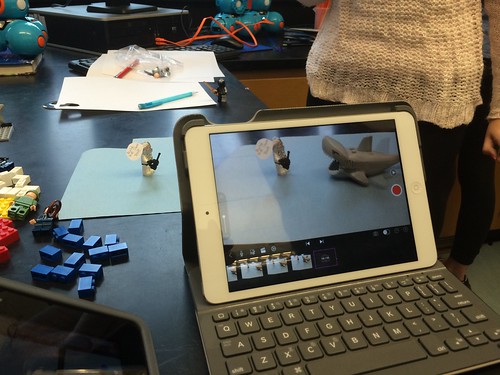
8Science students collaborated in the creation of a LEGO Stop Motion Video to demonstrate their understanding of substances and different types of Elements. They created a story line that included MONATOMIC ELEMENTS, DIATOMIC COMPOUND and TRIATOMIC COMPOUNDS!

New Blakers!

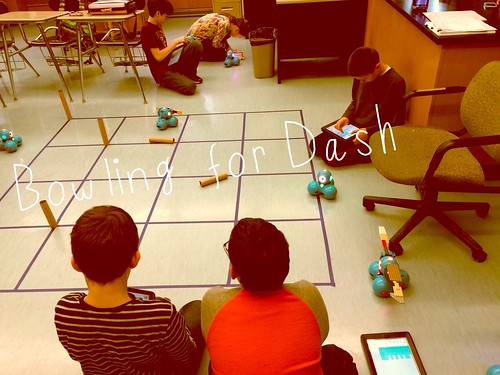
Welcome Dash and Dot! AfterSchool Coding Club members are test-driving the new robots which will soon be integrated into the Science curriculum.

Digital Learning Day 6th Discussion Panel

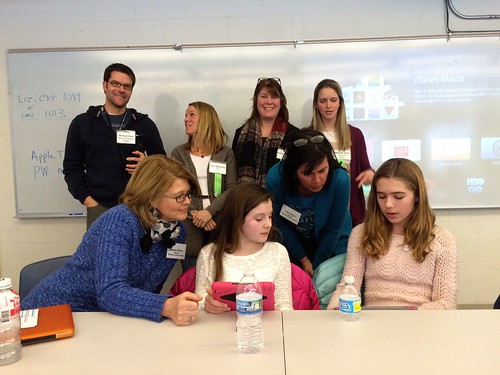
Medfield School District held its 3rd annual Digital Learning Day Conference filled with over 60 workshops for K-12 teachers in district and from schools out-of-district. Wellesley 6th Grade teachers joined Blake's 6th teachers and students for a discussion on their initial year of having 1:1 iPads in the classroom.

A Shout Out to Medfield HS/MS Student Volunteers

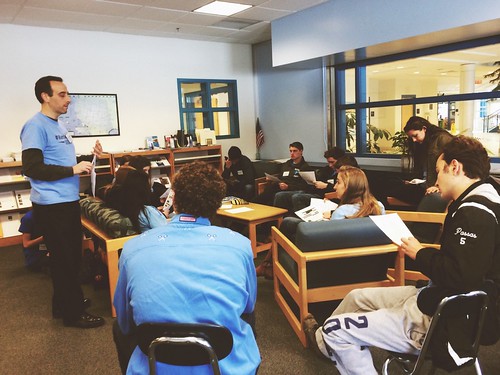
Our Digital Learning Day Conference wouldn't have been possible without the support of our wonderful Medfield HS Students and Blake MS students. This photo was taken at the beginning of the day, during a briefing with Neal Sonnenbergy (HS Tech Integration Specialist)

Look out for these future App Developers

This group of Blake MS girls are entered into the Global Competition, Technovation to design a mobile app that solves a community/social issue. Wish them Luck! The final pitch is on May 1st @ Microsoft NERD Center!

Took the Show on the Road

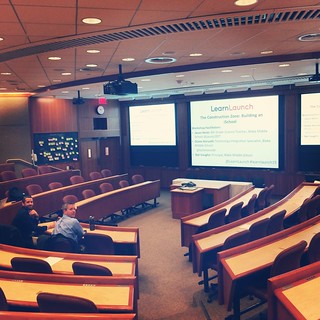
Blake MS Principal Nat Vaughn and 8Science Teacher Jason Heim presented about the Blake iPad Initiative at the LearnLaunch Conference, Harvard Business School.

Green Screen App Smashing

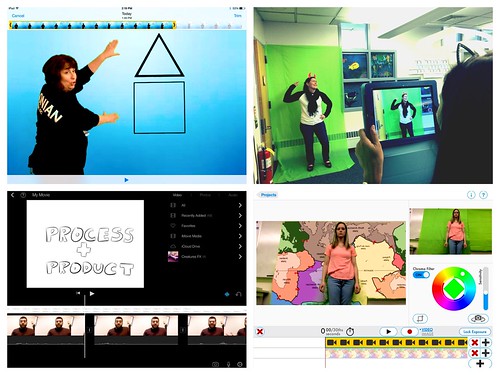
At our final EdTechTeacher Workshop, 6th/7th Grade Teachers explored their creative side by layering green screen videos over images for engaging instructional videos. It was total fun!

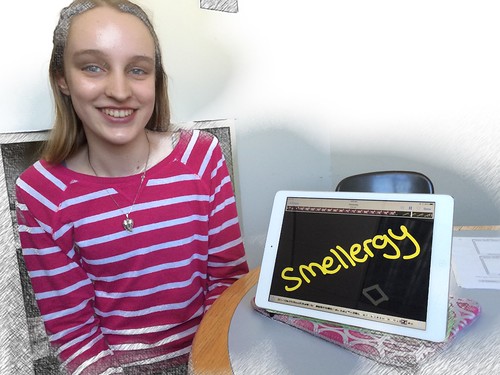
Convert Smells to Energy = Smellergy!

Nicolina is changing the world one nose at a time! Her entry was clearly on track with dreaming, designing, and delivering an energy-saving idea into the Blake Energy Invention Contest!

Sometimes the Ideas start here

Planning and drawing out a story board before the creation of an Explain Everything project is an essential step in the process!

9.30.2014

Follow our Journey through HASHTAGS!


Blake MS has caught Twitter Fever! A big push has come from the principal, Nat Vaughn (@nat_vaughn) who encourages teachers to use it to share their students' work and experiences, for connecting with other educators professionally and to help build a school community.

It's been a wonderful way to share the many fieldtrips students take to places like Boston, Washington DC, and ... the 7th Grades' week-long trip to Lake George called Nature's Classroom.


All you have to do is follow the #blakeatNC
and see all the laughs and smiles!

9.27.2014

"I Survived Tech Bootcamp Day!" said every 6th-7th Grade Blaker!


With the 6th and 7th graders now entering in the 1:1 iPad journey,their teachers thought the best course of action was to designate one full "Tech Bootcamp" day during these early weeks --making sure everyone had their iPads setup correctly and taking time to introduce their new workflows and apps. 

A side note: You might be thinking, well what does #HackersWednesday and #TechAttack really mean? One thing you'll notice about Blake MS is that we have caught #hashtag fever-- and decided to give these days a fun #hashtag name! The students love it.  There was so much excitement before the day even began!

This is how it worked:

The students were in groupings by advisories and rotated through the different sessions/periods for the entire day. Some of the sessions were as follows:

1. Calendar/Agenda- 7th grade is using the Sunrise Calendar app to share a cluster calendar of special events, long-term projects & tests,  and students can also record  their homework assignments here.

2. Google Drive- Introducing the idea of using cloud-based storage tied to their school google accounts where it becomes a main workflow of receiving resources and assignments from their teachers and turning in their work through shared folders.

3. Explain Everything- Probably the best app in terms of versatility and creations with the ability to screencast, draw, record and explain everything! Students received a redemption code to be able to purchase the app.

4. iPad Setup/Nearpod- The iPad offers so many wonderful built-in features that were introduced during this session along with a scavenger hunt to test their skills. Then students experience an app that allows for teachers to take over their screens with Nearpod. Nearpod is basically a way to engage students through an interactive lesson.

5. Evernote-Evernote will be used as the student's notebooks. Each student setup an account using their School Google Account, created a notebook and shared it with that teacher. The teacher now has access to 'looking' into the students' notebooks to see if they have the correct notes or it may be a place where they complete an assignment. One nice feature of Evernote is that it is both an app and a website. 

6. Gmail/ Google Keep: With Medfield becoming a Google Apps For Education district, all of the middle school and high school students have their own accounts for use of gmail too. In this session, students learned how to create a contact list of their teachers, search the directory and send an email. Then Google Keep was introduced to 6th Graders as their 'agenda book'. This will become the place where they record their homework through photos, lists, and text.

Below are a  few of the session presentations. As a parent of a Blake 6th or 7th grader, you may find helpful.

Mrs. Ruminski's Fire it Up Animoto to start her session.
Before diving into Gmail and Google Keep.

Mrs. Donovan asked students to spill the beans and 
explain everything! This screencasting app is one of the most
versatile apps in creating, recording, drawing.. and so on.
During this session, Mrs. Donovan gave a brief introduction to 
the functions of the app.


Mr. Gavaghan is one of our ultimate Google Drive teachers.  I would say the
English teachers in general are big fans of GD! In his session, he walks the
students through creating and organizing a folder system for getting
and turning in work.


While students are somewhat iPad-savvy, we did spend time in the settings
to take advantage of functions like text-to-speech or how to set up your
device so it functions like a champ and doesn't get in your way!


Overall, it was a hugely successful day. The students learned new things as well as the
teachers too.  Any teacher or staff members that felt they could benefit from one or more of 
the sessions were welcome to join in! 

Listen in to a few student reflections about the Tech day.


I have a feeling that this will definitely become a new tradition at Blake!

9.25.2014

Bienvenido Vamos a clase española con su ipad!


Our first week of the 2014-15 school year has been
extremely hectic for Blake Middle School students with
getting to know their new teachers, possibly a new school and 
learning with a new tool- the iPad!  Yes, this year also brings
over 700 mobile devices into the school with the expansion 
from 1:1 iPads at the  8th grade only to now including all grades.
So..things went from 0 to 100.. 300 quickly!

As you can imagine,
we cycled through some of these common techie questions/issues:
Who has an Apple ID? Do they have the apps they need? 
Can they log into their google accounts?
Do they know their network/wifi login?
Are they getting their passwords mixed up?
Homework? What homework? Where do I find that? 
How do you turn it in?

What was refreshing to see was Sra. Boulos' Spanish 1 Class
and how she began integrating iPads in an easy, purposeful way.
She took advantage of Youtube & earbuds:) to have students
individually listen and practice  the Spanish Alphabet for as many times
needed before singing it as a class and then returning to their iPads
to make their own personal recordings!


I found this to be a wonderful example of just keeping it simple.
Even though most students are pretty iPad-savvy, it's important to be mindful of
the students' learning curve in now having to use and manage it as an educational tool.

Bravo! Sra. Boulos!

8.14.2014

Get Ready. Get Setup .....


The 2014-15 School Year is right around the corner!  There is mucho excitement about Blake MS going 1:1 iPads for the entire school! That's right.. 6th.. 7th... and 8th graders will all have iPads in hand. Prior to school starting, there are a few things students should do to help setup their iPads for the first day.

Mr. Vaughn has email detailed information about the following:

1. Creating your own school non-credit card Apple ID 
   with special instructions for those who are under the age of 13.

2. Google Account login information  and a link to Google Apps for Ed Overview. 

3. The iPad Initiative Student User Agreement

4. Starter List of Apps to download prior to the first day of school.

 Note: the apps on this list are all free. Some apps will require students to create an account. Please wait until the first day of school when teachers will provide instructions on how to create or sign into those accounts. We want to make sure their is consistency in how it is done so we're able to help support students when they encounter login problems.


5. Other apps:  If you happen to have a newer iPad, iMovie and other Apple-based apps (Garageband, Pages, etc.) are free for you to download.  Please go ahead and do that!
However, if you have an iPad 2, you would have to pay for those apps. The district will be purchasing extra iMovie redeemable codes for those students. Inform your advisory teacher of that on the first day.

Another paid app that is not on the above list is called Explain Everything. Students will be using this app probably the most! The district has purchased a redeemable code which will be given to students during the first two days to download then.

6. One last thing to think about as a family with a student who has their own mobile device...
a FAMILY CONTRACT! One of the homework assignments during the first week of school is complete the Common Sense Media Family Table Contract. Start giving it some thought, discussion and feel free to contact Mr. Vaughn or myself with any questions.

* Wait ... remember your iPad should be kept in a sturdy case. If it is a Leased iPad, then it must stay in the Survivor case that was provided. In the last two years, probably all but one cracked screen or damaged iPad occurred because it was not kept in a good case.

Ok, now go enjoy the last days of summer...exhale!

7.29.2014

Memorial School is Representing at the Better Together Conference!

This Fall, the MA School Librarian Association (MSLA) and MASSCUE are sponsoring a professional development event with projects that emphasis deeper learning and the collaboration between librarians, technology integration specialists and classroom teachers while tackling the Common Core.

Well,  Randie Groden, Memorial's Librarian, Julie Colantoni, First Grade Teacher and myself- Diane Horvath, TIS will be presenting a transformation of the Big 6 project into the student-centered Wonder Inquiry Project with the integration the new digital database, Pebble Go in combination of creativity apps on the iPAD.  We're excited about sharing our experience so  think about attending! We'd love your support!

Better Together Conference
Date:  September 20, 2014Place: Newton North, Newton, MA
Click Here for detailed information and registration!


View on Flowboard - Presentation Software for iPad and Mac