Stop Motion Science

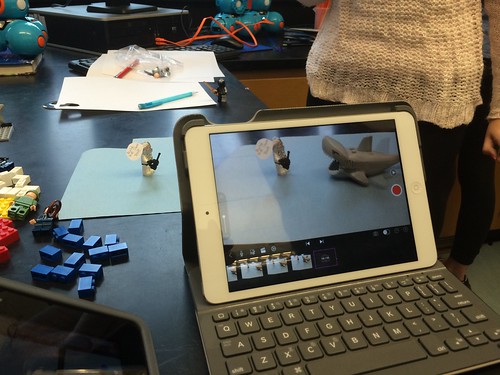
8Science students collaborated in the creation of a LEGO Stop Motion Video to demonstrate their understanding of substances and different types of Elements. They created a story line that included MONATOMIC ELEMENTS, DIATOMIC COMPOUND and TRIATOMIC COMPOUNDS!

New Blakers!

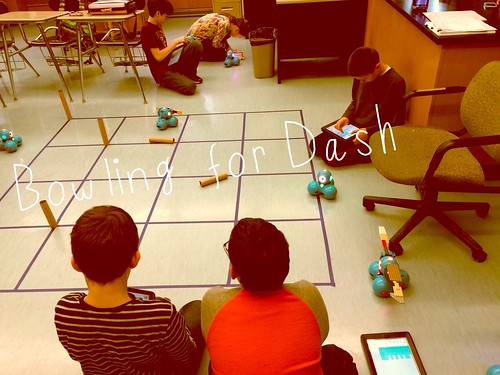
Welcome Dash and Dot! AfterSchool Coding Club members are test-driving the new robots which will soon be integrated into the Science curriculum.

Digital Learning Day 6th Discussion Panel

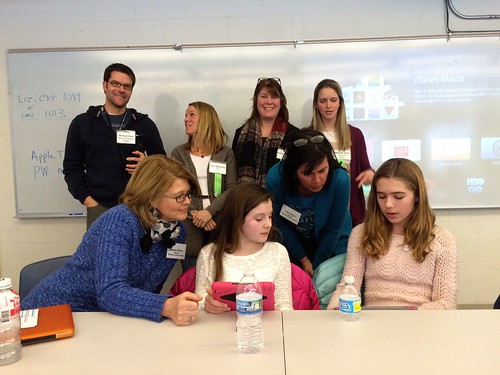
Medfield School District held its 3rd annual Digital Learning Day Conference filled with over 60 workshops for K-12 teachers in district and from schools out-of-district. Wellesley 6th Grade teachers joined Blake's 6th teachers and students for a discussion on their initial year of having 1:1 iPads in the classroom.

A Shout Out to Medfield HS/MS Student Volunteers

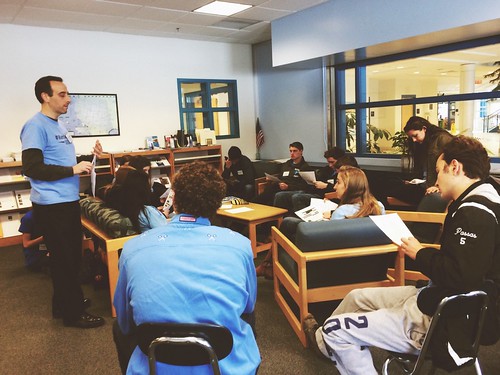
Our Digital Learning Day Conference wouldn't have been possible without the support of our wonderful Medfield HS Students and Blake MS students. This photo was taken at the beginning of the day, during a briefing with Neal Sonnenbergy (HS Tech Integration Specialist)

Look out for these future App Developers

This group of Blake MS girls are entered into the Global Competition, Technovation to design a mobile app that solves a community/social issue. Wish them Luck! The final pitch is on May 1st @ Microsoft NERD Center!

Took the Show on the Road

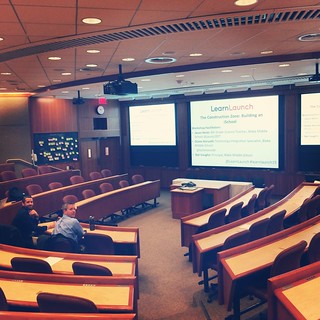
Blake MS Principal Nat Vaughn and 8Science Teacher Jason Heim presented about the Blake iPad Initiative at the LearnLaunch Conference, Harvard Business School.

Green Screen App Smashing

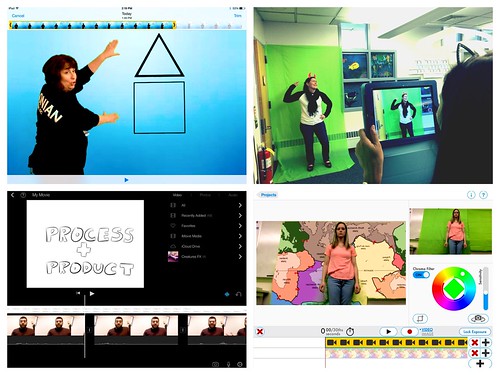
At our final EdTechTeacher Workshop, 6th/7th Grade Teachers explored their creative side by layering green screen videos over images for engaging instructional videos. It was total fun!

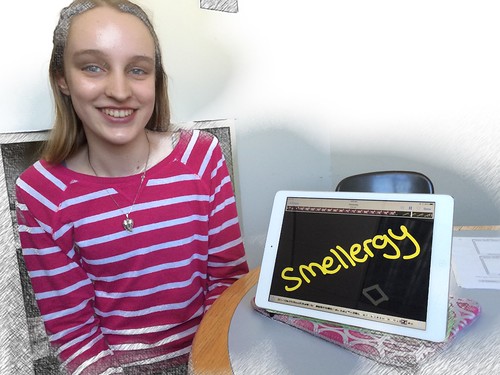
Convert Smells to Energy = Smellergy!

Nicolina is changing the world one nose at a time! Her entry was clearly on track with dreaming, designing, and delivering an energy-saving idea into the Blake Energy Invention Contest!

Sometimes the Ideas start here

Planning and drawing out a story board before the creation of an Explain Everything project is an essential step in the process!

Showing posts with label educreations. Show all posts

2.12.2013

Student Work: Defining Terms

LITERACY: DEFINING TERMS


In English Class, the book, The Crucible was filled with symbolism.  Therefore understanding many terms, like Communism and Theocracy helps students build a foundation and background knowledge before they even begin reading the book.

This 8th grade student used Educreations, an interactive whiteboard app to describe his understanding of the two terms.

Click here to view his movie: Communism and Theocracy


(Educreations movies upload and are hosted directly to that website- Students are also able to create Educreations movies on the website itself, rather than the iPad. To share his work, he emailed the link to his movie to Mr. Hellerstein)

2.11.2013

Math and Educreations- a perfect combination


Mrs. Perachi - Math
So far, in math class, the iPad has been used mostly for organization, demonstrating knowledge, and study skills. The iCal app has been very helpful for students entering daily homework. They have also been able to use it to enter long term assignments. They set reminders for themselves. They have also set an assignment to repeat daily so that it shows on their list of assignments every day as a reminder to continue working on it. Long term assignments are often the ones that students forget to complete. The option of repeating an assignment has helped students remember that something is due.

Evernote has also helped with organization. Students often have binders that are overflowing and papers are not put in the correct sections. With Evernote, students take completed notes from my webpage and save them in a notebook in Evernote. This has also assisted in helping them study. They have a notebook with all of the notes from each section that they can refer to.

In addition to Evernote, we have been using Educreations and Explain Everything to create lessons that students can use to help them study for assessments. Educreations and Explain Everything allow students to record themselves writing and speaking. They have been recording themselves solving problems and explaining their thinking as they work. These lessons can be used later when studying. It is more engaging than reading through their notes or looking in the textbook. In addition, they have created flip charts for vocabulary. They record themselves writing the word, saying the definition, and also writing some examples. Similar to flashcards, these lessons can be used to quiz themselves before a test. The students can pause the recording, try and come up with the definition and example, and then play it to check for accuracy. Using technology can be more exciting than flashcards and they are also getting the auditory feedback that they do not with a flashcard.